
Which article writing tool fits your team? It depends on which part of the article job you want off your plate. Some tools help you write a paragraph faster. Others grade a draft against the pages it competes with. A third group researches, writes and publishes the whole article to your CMS, then keeps it current. These categories solve different problems, and buying the wrong one is the most common mistake I see SaaS teams make.
This explainer breaks the category down by job. We cover what each type of tool does, what it leaves to you, how each one affects visibility on Google and in AI assistants like ChatGPT, Perplexity, Gemini and Claude, and how to tell which type matches the team you actually have.
Article writing tools are software that takes over some or all of the work of producing a long-form article: research, outlining, drafting, optimization, formatting and publishing. They matter most to small SaaS teams that need a steady flow of search-ready articles but have little or no dedicated writing staff.

The Article Job, Broken Into Its Parts
An article that earns traffic is the end product of several separate tasks. Most tools automate only some of them. Before comparing products, it helps to see the full list, because the gaps between tools sit exactly in these tasks.
- Topic selection: deciding which search, or which question asked of an AI assistant, the article should answer
- Research: gathering facts, sources and the angles competing pages already cover
- Outlining: setting the heading structure and the order of ideas
- Drafting: writing the actual prose
- Optimization: checking coverage of the subtopics and terms the topic needs
- Formatting: adding schema markup, FAQ blocks, internal links and images
- Publishing: getting the finished piece into WordPress, Webflow, Shopify or another CMS
- Maintenance: updating the article when it slips or when facts change
A founder writing one article a month can do all eight tasks by hand. A team trying to publish weekly runs out of hours at research and formatting, which are the least visible tasks and the most tedious. That is where tool choice starts to matter.
Four Types of Article Writing Tools
Article writing tools fall into four types. Each one is defined by how many of the eight tasks above it takes off your hands.
Drafting assistants
Drafting assistants are general chat models such as ChatGPT and Claude, used to write. They are fast and flexible at prose. They do not know which topics your buyers search for, they do not check what competing pages cover, and they do not publish. Every task except drafting stays with you, including copying the output into your CMS and fixing the formatting on the way.
Content optimization editors
Optimization editors, a category where Clearscope is a well-known name, score a draft against the pages that compete for the same topic. They are useful as a quality bar for a writer, human or AI. They assume you already have a writer and a topic list. They improve a draft. They do not produce the steady output a small team lacks.
Suite-based writers
Large SEO suites, Semrush among them, now include writing features built on top of their keyword data. The appeal is having research and drafting in one account. The tradeoff is that the writer is one module inside a broad toolkit, so someone still has to run the workflow: pick the keyword, generate, edit, format and publish. Readers comparing this group further may find the breakdown in Beyond Jasper useful for its view of how broader writing tools differ.
Autonomous content engines
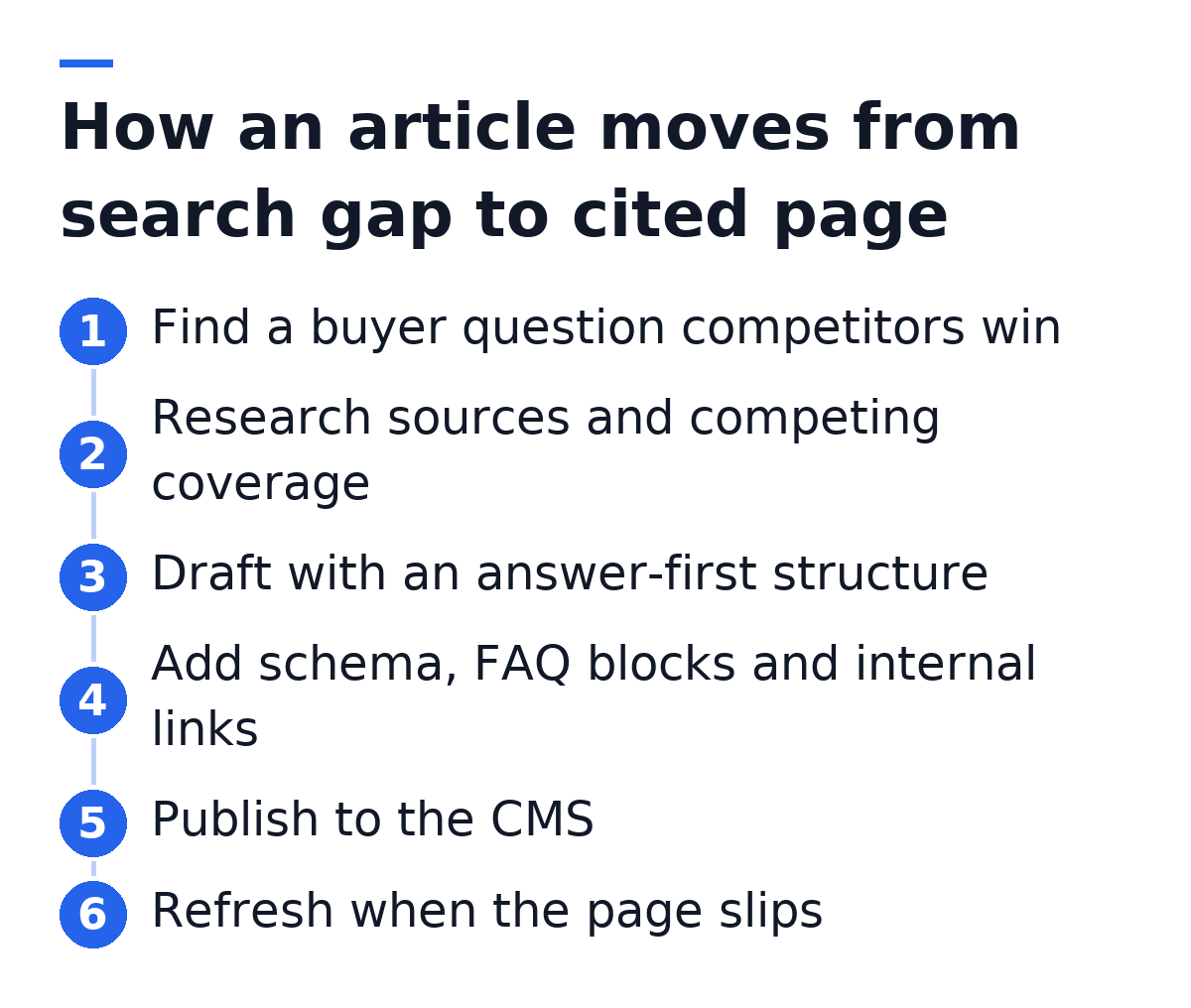
Autonomous engines take on the whole chain: topic selection, research, drafting, formatting and publishing to your CMS, often on a schedule. Gofylo, Outrank and Babylovegrowth are names in this space, and they differ in how they pick topics and what they do after publishing. The operating model is structurally different from the other three types. You review output instead of producing it, and the volume no longer depends on how many hours your team has in a given week.
The table below summarizes the main point: the further down the list, the fewer tasks remain with your team.
| Tool type | Picks topics | Drafts | Formats for search | Publishes | Maintains |
|---|---|---|---|---|---|
| Drafting assistant | No | Yes | Partly, with prompting | No | No |
| Optimization editor | Partly | No | Scores coverage | No | Partly, by rescoring |
| Suite-based writer | Yes, from suite data | Yes | Partly | Sometimes | No |
| Autonomous engine | Yes | Yes | Yes | Yes | Varies by product |
What Free Article Writers Leave Out
Free article writers produce a draft and stop. That is the honest summary. A free tier usually gives you a generated article from a keyword, with limited length, no source verification and no publishing step.
The draft itself is rarely the problem. The problem is what a free tool skips:
- Verified citations, so claims in the draft may be wrong or unsourced
- Schema markup that helps search engines and AI assistants parse the page
- Internal links into the rest of your site
- Topic selection based on what your buyers actually ask
- Any record of whether the article later ranks or gets cited
For a solo builder testing whether content is worth doing at all, a free writer is a reasonable experiment. As a system, it hands you a pile of drafts and the full formatting and publishing workload that comes after them.
Article Types and Which Tools Handle Them Well
Not every article type suits automation equally. The type of piece you need shapes which tool type is a fit.
Explainers and guides. These are the strongest fit for autonomous engines and suite-based writers. The structure is predictable, the facts can be researched and cited, and the format (definition, components, nuance) maps well to how AI assistants pull answers.
Comparisons and alternatives pages. These need accurate, current product facts. Any tool can draft them, but only a tool that researches and cites sources keeps you from publishing a stale price or a feature that was removed.
How-to and tutorial content. Step-based articles automate well when the process is general. When the steps involve your own product's interface, a human who uses the product should review them, whichever tool wrote the draft.
Opinion and thought leadership. A founder's point of view is the one asset no tool can generate. A drafting assistant helps here as an editor for your ideas. Automating this type removes the thing that made it worth reading.
How Each Tool Type Affects AI Search Citations
AI assistants cite pages that answer a question directly, back claims with sources and are easy to parse. Tool type affects all three.
A drafting assistant writes fluent prose, but unless you prompt for it, the answer is often buried in the third paragraph and claims arrive without citations. An optimization editor pushes coverage, which helps on Google, yet coverage alone does not make a page quotable. Tools that format by default, with answer-first paragraphs, FAQ blocks, schema and verified sources, produce pages that ChatGPT, Perplexity, Gemini, Claude and Google's AI Overviews can lift an answer from cleanly.
There is a second gap: knowing whether it worked. Most writing tools have no view of AI answers at all. You can track Google positions with the best rank tracking options, but a page can rank on page one and still never be named when a buyer asks an AI assistant for recommendations. Seeing which businesses each assistant names for your buyers' searches, and which sites it cites, is a separate capability. Pairing it with the writer closes the loop between what you publish and where you appear.
A writing tool that cannot show you where AI assistants name your competitors instead of you is choosing topics blind. Topic selection based on those gaps is what turns article volume into visibility.
What Happens After an Article Is Published
Most article writing tools treat publishing as the finish line. On Google, many articles settle just off page one and stay there. In AI answers, older pages lose ground when newer, better-sourced pages appear.
Maintenance is where compounding growth comes from. An article that is refreshed when it stalls keeps earning. An article that is never revisited decays. Teams usually watch this through seo monitoring tools and then rewrite by hand, which is the task that gets dropped first when the calendar fills up.
Some engines handle this directly. Gofylo, for example, rewrites published articles that sit just off page one using your Google Search Console data, and keeps the earlier version so you can restore it. Whatever tool you choose, ask what happens to an article in its third month, not only on its first day.
Matching the Tool Type to Your Team
The right type follows from who does the work. A rough mapping:
- You have a strong in-house writer: an optimization editor raises the quality of what that writer already produces
- You have a writer but no SEO process: a suite-based writer adds keyword data to drafting
- You are a solo founder writing occasionally: a drafting assistant is enough, as long as you check facts yourself
- You have no content team and need a steady weekly output: an autonomous engine is the type built for that situation
- You care about being named in AI answers as well as Google rankings: you need visibility tracking alongside whichever writer you pick
For a wider view across the whole market of ai writing software, the categories above are still the best filter. Start with the tasks you want gone, then compare products only inside the matching type.
We built Gofylo for the last two rows. It tracks how six AI assistants (ChatGPT, Google AI Overviews, Google AI Mode, Gemini, Perplexity and Claude) answer your buyers' searches, then researches, writes and publishes articles aimed at the gaps, with schema, internal links, FAQ blocks, verified citations and images, to WordPress, Webflow, Shopify, Ghost and other CMSs. Plans start at $149 a month for 10 articles, with 20 and 30 article tiers above that.
See where you stand before you pick a tool. Run the free AI Visibility report to find out which businesses AI assistants name for your buyers' searches, then start a 7-day free trial of Gofylo and have your first articles researched, written and published to your CMS this week.