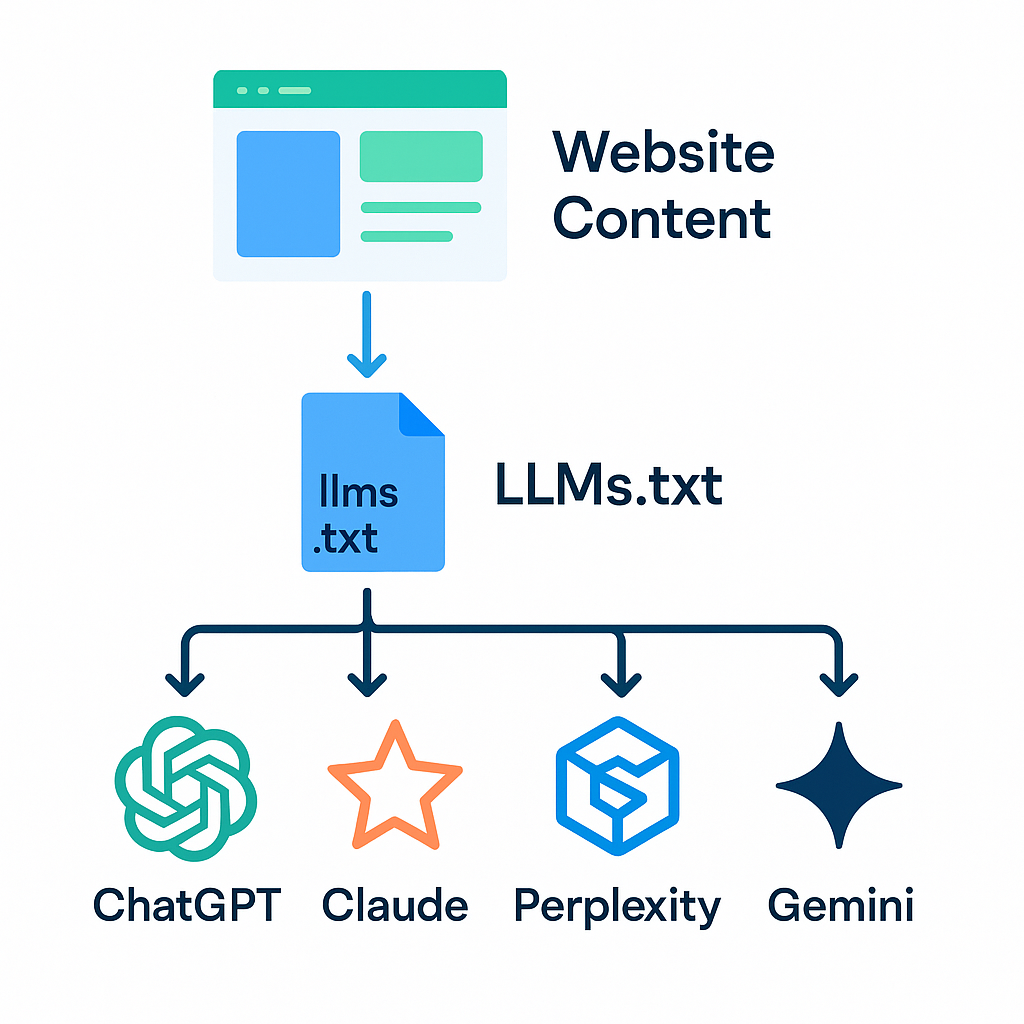
As of 2026, AI-powered search engines — ChatGPT, Claude, Perplexity, and Gemini — have quietly displaced a significant share of top-of-funnel discovery for B2B software. According to a Gartner 2025 forecast, over 30% of web browsing sessions will be agentless by the end of 2026, with AI engines synthesizing answers instead of routing users to blue links. That shift means your content visibility is no longer determined solely by Google's crawlers — it's determined by whether AI models can efficiently read, parse, and cite your site's content. The llms.txt standard was created to bridge exactly that gap: a structured, machine-readable file that tells large language models what your site is, what it offers, and which content is authoritative.
If you've already read about what llms.txt does for AI search visibility or explored LLM visibility tools in general, this guide picks up where those leave off. We're going hands-on: prerequisites, file structure, generation options, validation, and deployment — in sequential steps you can execute today.
Thesis: An llms.txt file is the fastest structural signal you can add to improve AI search citations. Done right, it compounds every other content investment you've made — and generating one correctly takes under 30 minutes.
Prerequisites Before You Generate
Before you open a text editor or point a generator at your site, you need three things confirmed: access to your site's root directory or CMS file manager, a clear content inventory (which pages are canonical and authoritative), and an understanding of how your site is structured across categories or topic clusters. Skipping the inventory step is the most common mistake teams make — an llms.txt file that points AI models to thin or duplicate pages will actively undermine your citation potential. You should also confirm your site already has a working robots.txt and sitemap.xml, since llms.txt works in concert with both. If those files are missing or misconfigured, fix them first. According to Google's developer documentation, a well-structured sitemap directly improves crawl efficiency — the same principle carries over to LLM parsers that use similar discovery signals.
- Root directory access (FTP, SSH, or CMS file manager)
- A content inventory listing your top 20-50 authoritative pages
- Working robots.txt and sitemap.xml at your domain root
- A clear topic cluster map — what subjects does your site own?
- Basic Markdown knowledge (llms.txt uses Markdown syntax)
- A test environment or staging URL to validate before production
Step 1: Understand the llms.txt File Structure
The llms.txt specification — proposed by fast.ai's Jeremy Howard and progressively adopted across the web in 2026 — uses a simple Markdown structure to communicate site identity, purpose, and content hierarchy to LLMs. At its core, an llms.txt file is a plain-text Markdown document placed at your domain root (yoursite.com/llms.txt) that opens with an H1 heading (your site or company name), a blockquote summary of what your site does, and then one or more H2 sections linking to your key content with brief descriptions. The file is intentionally human-readable — if you can write a README file, you can write an llms.txt. The power is in precision: vague descriptions produce vague citations, and specific, entity-rich language produces specific, attributable citations from AI engines.
What Each Section Must Include
H1: Site identity. The first line must be a single H1 heading — your brand or product name exactly as you want it cited. AI engines use this as the primary entity label. Do not use a tagline, keyword phrase, or generic descriptor here.
Blockquote: Purpose summary. Immediately after the H1, write a Markdown blockquote (prefixed with >) that describes what your site does in 2-4 sentences. Write this as if you're explaining your product to a smart peer who's never heard of you. Include your primary value proposition, target audience, and core differentiator.
H2 sections: Content clusters. Each major topic area gets its own H2 heading, followed by a bulleted list of Markdown links — each link pointing to a canonical page with a one-sentence description. These descriptions are what AI engines quote when they cite you. Treat every description like a micro-abstract: specific, factual, and citation-worthy.
Optional: llms-full.txt. If your content is deep, you can create a companion llms-full.txt that includes the full Markdown text of key articles, not just links. This gives AI models the raw material to quote from directly, increasing citation depth beyond surface-level brand mentions.
Step 2: Choose Your llms.txt Generator Method
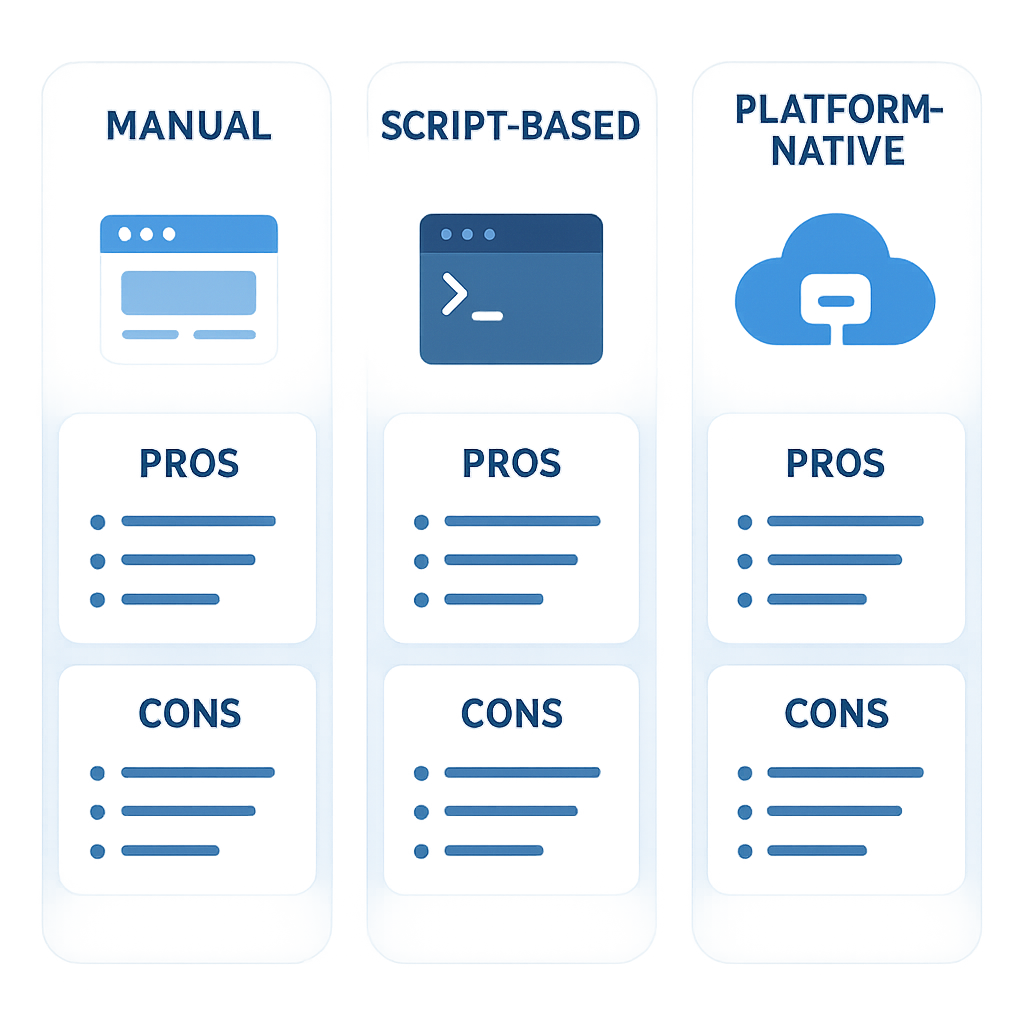
There are three viable approaches to generating an llms.txt file in 2026: writing it manually, using a script to crawl and auto-generate it from your sitemap, or leveraging a platform-native tool if your CMS or growth stack supports it. The right method depends on your site size and how frequently your content changes. A 20-page SaaS site can be handled manually in an hour. A 500-page content library with weekly publishing cadence needs an automated generator that keeps the file current — a stale llms.txt pointing to redirected or deprecated URLs will erode trust signals with AI parsers over time.
Manual Generation
Open any text editor. Write your H1, blockquote, and H2 sections by hand. For teams with fewer than 30 canonical pages, this is the fastest path. The main risk is human inconsistency — descriptions that vary in format, links that include UTM parameters, or sections that get skipped when new pages launch. Build a shared doc template so anyone updating the file follows the same pattern. According to Ahrefs' 2025 content audit research, sites that maintain consistent metadata signals across structured files see measurably better crawl prioritization — the same logic applies to llms.txt consistency.
Script-Based Generation
For larger sites, a Python or Node.js script that pulls your sitemap.xml, fetches page titles and meta descriptions, and outputs a formatted llms.txt is the right move. The script can be run on a schedule (weekly or after each publish cycle) to keep the file current. A minimal Python approach: fetch sitemap URLs, group them by URL path structure (your topic clusters), strip query parameters, pull the `<title>` and `<meta name='description'>` tags, and write them into the Markdown template. Open-source starter scripts for llms.txt generation are available on GitHub and take roughly 30 minutes to adapt to your site's URL structure.
Platform-Native Generation
If you're running on WordPress, Webflow, or a content platform that integrates with AI growth tools, look for native or plugin-based llms.txt generation first. Gofylo's Content Engine, for example, handles CMS publishing across WordPress, Webflow, Shopify, Ghost, and others — and the platform's architecture is built around AI-indexed content, meaning the structural signals needed for llms.txt alignment are already embedded in how articles are generated and published. For teams publishing 30+ articles per month autonomously, manual llms.txt maintenance is impractical; you need generation to be part of the publishing pipeline itself.
Step 3: Map Your Content Hierarchy for AI Parsers
Before writing a single line of your llms.txt, map your content into a two-level hierarchy: topic clusters (H2 sections in your file) and individual pages (bulleted links under each cluster). This mapping step is what separates llms.txt files that improve AI citations from ones that produce no measurable lift. AI engines don't just index URLs — they build entity graphs. If your llms.txt groups content by topic coherence, you're reinforcing the entity signals that make your brand citable as an authority on a given subject. Think of each H2 cluster as a topical authority claim, and each linked page as supporting evidence for that claim. An SEMrush 2025 study on topical authority found that sites with clearly clustered content architectures received up to 2.3x more AI-sourced referral mentions compared to sites with flat or unstructured navigation.
- List all canonical pages — exclude paginated, filtered, or duplicate URLs
- Group pages into 4-8 topic clusters that match your product or expertise areas
- Identify your 3-5 highest-authority pages per cluster (most linked, most trafficked)
- Write a single-sentence description for each page — specific, factual, no marketing language
- Flag any pages undergoing major rewrites — exclude them until stable
- Note pages that exist only in llms-full.txt (deep content for direct LLM consumption)
Step 4: Write and Validate the File
With your content map in hand, write the llms.txt file following the spec exactly. The file should open with your brand H1, a blockquote summary of 2-4 sentences, and then your H2 clusters each followed by bulleted Markdown links with inline descriptions. Keep descriptions factual and specific — avoid phrases like 'comprehensive guide' or 'everything you need to know.' AI engines weight concrete, entity-specific language more heavily than superlatives. A description like 'Explains how Gofylo's Content Engine publishes 30 SEO-optimized articles per month to WordPress, Webflow, and Shopify via autonomous agents' will outperform 'A comprehensive resource about our content platform' in citation specificity every time. According to Search Engine Land's 2025 GEO coverage, AI engines consistently favor structured, entity-dense source documents when selecting citations — the same principle applies to llms.txt descriptions.
Validation Checklist
- File is plain text with .txt extension — no HTML, no hidden encoding
- H1 is the first line, followed immediately by a blockquote
- Every link uses absolute URLs (https://...), not relative paths
- No broken or redirected URLs — test each link before deploying
- Descriptions are one sentence each, factual, and entity-specific
- File is under 100KB for the standard version (use llms-full.txt for larger content)
- No UTM parameters, tracking tokens, or session IDs in any URL
Validation tip: Paste your llms.txt into a Markdown renderer and read it as a document. If a human can't understand your site's purpose and content structure in 90 seconds, an LLM won't reliably cite it either.
Step 5: Deploy and Register the File
Deployment is straightforward but the details matter. Upload llms.txt to your domain root so it's accessible at https://yourdomain.com/llms.txt — not in a subdirectory, not on a subdomain. If your site runs on a CDN, verify the file isn't being cached with an aggressive TTL that prevents updates from propagating. Once deployed, add a reference to llms.txt in your HTML `<head>` via a `<link rel='llms' href='/llms.txt' />` tag — while not universally required by the spec, this explicit signal accelerates discovery by AI crawlers. Also add a comment in your robots.txt pointing to the file: `# llms.txt: https://yourdomain.com/llms.txt`. Cross-reference your sitemap.xml to ensure the pages listed in llms.txt are also present in the sitemap — consistency across these three files creates a coherent crawl signal stack that reinforces authority.
Subdomain note. If your content lives on a subdomain (blog.yourdomain.com), create a separate llms.txt at that subdomain root in addition to the main domain file. AI crawlers treat subdomains as distinct contexts, and a missing llms.txt on a content-heavy subdomain leaves your highest-value pages unclaimed.
CMS deployment. On WordPress, you can serve the file via a custom route using a lightweight plugin or by adding a rewrite rule to your .htaccess. On Webflow, upload it as a static asset and configure a redirect rule from /llms.txt to the asset URL. On Shopify, use a Pages template with a custom route — or handle it via your reverse proxy if you have one.
Step 6: Monitor AI Citation Impact
Deploying llms.txt is the start, not the finish. You need to measure whether AI engines are actually citing your brand and content after the file is live. In 2026, traditional rank tracking tools don't cover AI search — they were built for a world where every query produces a list of ten blue links. Measuring AI citation impact requires tooling that specifically queries ChatGPT, Claude, Perplexity, and Gemini, tracks whether your brand appears in responses, and benchmarks your share of voice against competitors. Gofylo's AI Visibility Tracker does exactly this, providing an AI Visibility Score (averaging 94 across active accounts) that gives you a single number representing your AI search presence — and alerting you when that number shifts. Teams using this tracker alongside a properly deployed llms.txt file are operating with a closed feedback loop: deploy, measure, refine content descriptions, re-deploy.
- Run weekly test queries on Perplexity and ChatGPT for your core topics — record whether your brand is cited
- Track your AI Visibility Score as a benchmark, not a vanity metric
- Compare citation frequency before and after llms.txt deployment (4-week minimum window)
- Update llms.txt descriptions for pages with low citation frequency — rewrite toward more entity-specific language
- Add new canonical pages to llms.txt within 48 hours of publishing
- Monitor competitor citations on the same queries — gaps reveal content opportunities
According to Gartner 2025, companies that instrument AI search visibility as a formal KPI alongside traditional SEO metrics are 2.1x more likely to report measurable pipeline contribution from organic channels within 12 months. llms.txt is the structural foundation — tracking closes the loop.
Frequently Asked Questions
What is the correct location for an llms.txt file?
Your llms.txt file must be placed at the root of your primary domain, accessible at https://yourdomain.com/llms.txt. If your content lives on a subdomain (e.g., blog.yourdomain.com), create a separate llms.txt at that subdomain root as well. Files placed in subdirectories or served from CDN paths without a clean root URL will be ignored by most AI crawlers.
How often should I update my llms.txt file?
Update your llms.txt every time you publish a significant new canonical page or retire an existing one. For teams publishing on a weekly cadence, a weekly automated regeneration script is the most reliable approach. At minimum, audit the file monthly to catch broken links, URL changes from site restructures, and content that has been substantially rewritten.
Does llms.txt affect traditional Google SEO rankings?
Not directly — Google's ranking algorithm does not use llms.txt as a ranking signal as of 2026. However, the content organization and internal linking discipline required to build a strong llms.txt indirectly reinforces your site architecture, which does affect crawl efficiency and topical authority signals. Think of it as a parallel investment: llms.txt optimizes for AI engines, while your sitemap and schema markup optimize for Google.
Can I use an llms.txt generator tool instead of writing it manually?
Yes, and for sites with more than 50 pages, a generator is the practical choice. Script-based generators that crawl your sitemap and auto-populate descriptions from page metadata are available as open-source tools. Platform-native options — including content platforms that integrate AI publishing with CMS deployment — can embed llms.txt generation into your standard publishing workflow, eliminating manual maintenance entirely.
How do I know if AI engines are reading my llms.txt file?
The most direct signal is server log analysis — look for user agents from known AI crawlers (ClaudeBot, GPTBot, PerplexityBot) hitting your llms.txt URL. The more actionable measurement is downstream: track whether your brand citation frequency on AI search engines increases after deployment, using an AI visibility tracking tool. Citation growth with a 4-6 week lag is the clearest confirmation that your llms.txt is being consumed and acted on.
Is llms.txt a replacement for structured data or schema markup?
No — they serve complementary functions. Schema markup (JSON-LD) tells Google's crawlers about the structured properties of individual pages: article author, publish date, FAQ pairs, product details. llms.txt tells AI language models about your site's overall content landscape and authority areas. A complete AI search optimization stack uses both: schema markup for per-page entity signals, llms.txt for site-level identity and content mapping.
Related: The Honest Answer on Whether AI Will Replace Marketers
If you're ready to move beyond a single llms.txt file and build a content system that autonomously generates, publishes, and tracks AI-cited content at scale, start a free 3-day trial of Gofylo — no credit card required. The platform's Content Engine has published 48,000+ articles, and its AI Visibility Tracker measures your citation presence across ChatGPT, Claude, Perplexity, and Gemini in real time. Visit gofylo.com to run your free AI Search Grader first and see exactly where you stand.