
Most B2B SaaS blogs I audit have the same shape. A handful of articles bring in nearly all the organic traffic. A long middle sits on page two, picking up impressions and almost no clicks. A tail of older posts has never earned a citation from ChatGPT or Claude. The fastest growth in that library rarely comes from the next new article. It comes from a disciplined content optimization strategy applied to the pages you already have.
This guide walks through the exact process we use: how to decide which pages to touch, how to diagnose what each one is missing, how to rewrite it so both Google and AI assistants can lift answers from it, and how to measure whether the change worked. By the end you will have a working optimization loop you can run every month, a triage sheet you can copy, and a clear rule for when a page should be rewritten, merged or left alone.
I am assuming you already know what content optimization is in principle and that you have a keyword plan in place. This article stays narrow: the operating strategy that turns an existing library into a compounding asset in 2026, when a page has to earn a ranking and a citation at the same time. What you need:
- Verified access to Google Search Console for the domain, with at least a few months of data
- Edit access to your CMS (WordPress, Webflow, Ghost, Framer or similar) and permission to update published URLs
- A spreadsheet or database where you can keep one row per URL
- Accounts on ChatGPT and Claude, plus Perplexity and Gemini if you can, for manual citation checks
- A crawler or site audit tool that lists every indexable URL with its title, word count and internal links
- Roughly half a day for the first pass, then a few hours a month to keep the loop running
- Agreement from whoever owns the brand voice on what can change without review
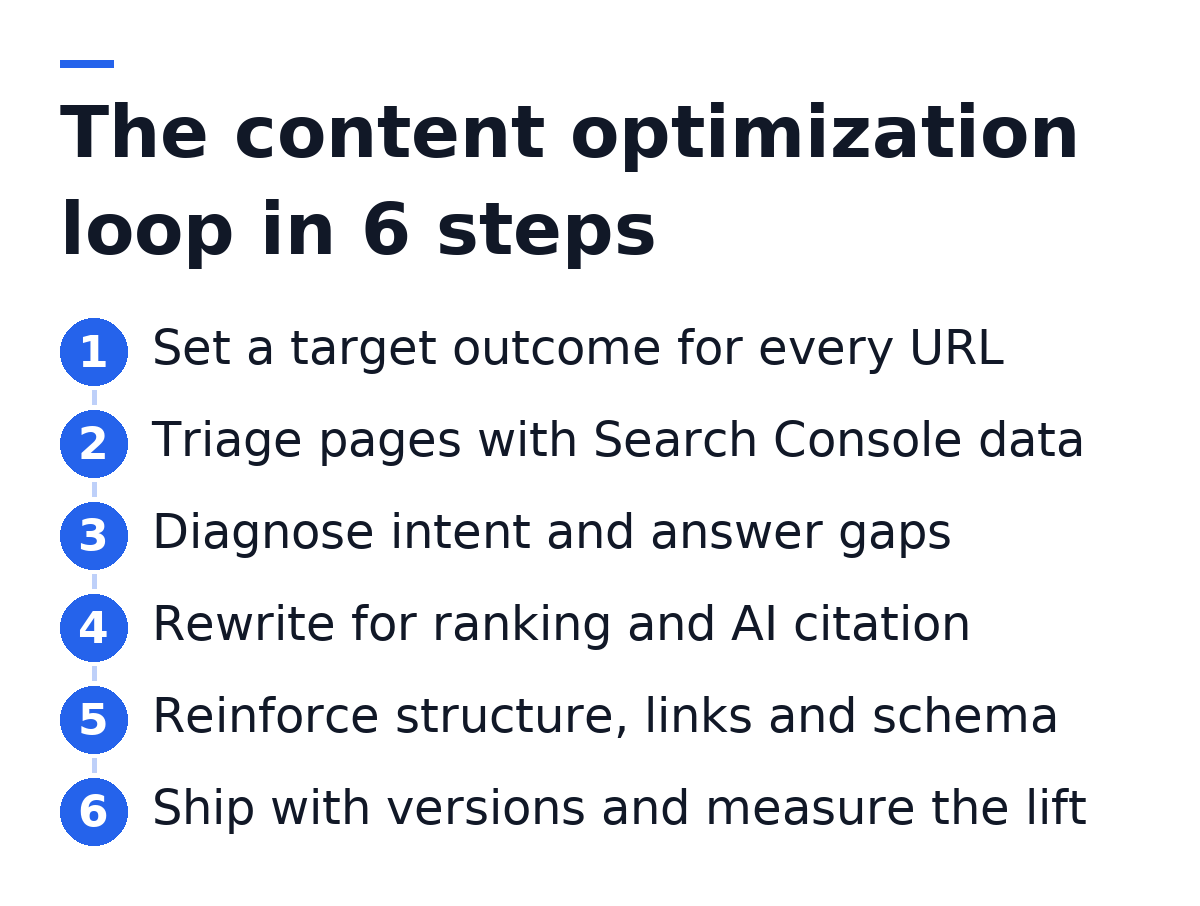
Step 1: Assign a Target Outcome to Every URL
Before you change a word, decide what each page is for. Optimization without a target turns into cosmetic editing: new intro, refreshed date, a few extra keywords, and no measurable change. A target outcome gives you a way to judge the edit afterwards.
In 2026, a B2B SaaS page can win in more than one place. It can rank in Google for a query. It can be quoted or cited by an AI assistant when someone asks a related question. It can convert a reader into a trial or a demo request. Most pages should be built for one primary outcome and one secondary one. Trying to make every page do everything is how you end up with bloated articles that answer nothing cleanly.
- Rank: the page targets a query with real search demand and the goal is a position on page one
- Cite: the page answers a question that buyers put to ChatGPT, Claude, Perplexity or Gemini, and the goal is to be the source the assistant pulls from
- Convert: the page sits close to a buying decision (comparisons, use cases, integrations) and the goal is trials or demos
- Support: the page exists to give depth to a topic and pass authority to other pages through links
Add a column for this in your sheet and fill it in for every URL that gets traffic or impressions. For a typical early-stage SaaS blog, a large share of posts will land in rank or cite. Product-adjacent pages will land in convert. Thin glossary pages and old announcements often fall into support, or into nothing at all, which is useful information in itself.
If you cannot name a target outcome for a page in one short phrase, do not optimize it yet. Flag it for a merge or removal decision in Step 2 instead. Editing a page without a purpose is the most common way teams burn optimization hours.
Step 2: Triage the Library With Search Console Data
Triage tells you which pages deserve work this month. The answer comes from Google Search Console, because it shows impressions and average position for queries you already appear for. A page with many impressions and a position just off page one is close to paying off. A page with no impressions at all usually has a deeper problem than wording.
Build the triage sheet
Export the Pages report from Search Console for a recent date range, then the Queries report filtered per page for your top candidates. Join them with your crawl export so each row has the URL, its target outcome from Step 1, the main query, impressions, clicks, average position, the last updated date and the number of internal links pointing in. The CSV below is the shape I use. Each line after the header is one URL.
url,target_outcome,main_query,impressions,clicks,avg_position,last_updated,inbound_links,bucket
/blog/saas-onboarding-emails,rank,saas onboarding email examples,high,low,13,2024-03,2,refresh
/blog/product-led-growth-metrics,cite,product led growth metrics,medium,medium,6,2025-01,7,tune
/blog/what-is-churn,support,what is churn,low,none,48,2023-08,0,merge
/blog/crm-integration-guide,convert,crm integration for saas,medium,low,9,2025-06,4,tune
/blog/q3-product-update,none,none,none,none,none,2023-10,1,remove
I write impressions and clicks as relative bands (high, medium, low) in the sheet I share with stakeholders, because the absolute numbers vary so much between domains that they distract the conversation. Keep the raw export in a separate tab for the actual analysis. The bucket column is the output of this step and drives everything that follows.
Sort pages into action buckets
Every URL goes into exactly one bucket. The table below shows the rule for each bucket and the work it triggers. The pattern to notice: the pages with the best return on effort are the ones already close to page one, not the ones with no visibility.
| Bucket | Typical signal | Action | Effort |
|---|---|---|---|
| Tune | Page one, low click-through | Rewrite title, meta and opening answer | Low |
| Refresh | Positions roughly 8–20, steady impressions | Full diagnosis and section rewrite | Medium |
| Rebuild | Impressions on queries the page barely covers | New outline around the real intent | High |
| Merge | Two pages split the same query | Combine into one URL and redirect | Medium |
| Remove | No impressions, no links, no purpose | Redirect or noindex | Low |
| Leave | Strong position and stable clicks | Monitor only | None |
For your first month, pick a small batch from the refresh and tune buckets. Five to ten pages is enough to learn how your site responds. Resist the urge to rebuild everything at once. If the batch is too large, you will not be able to tell which edits moved which numbers.
Step 3: Diagnose Why Each Priority Page Falls Short
A page stuck off page one is usually missing something specific: the wrong format for the intent, a gap in the questions it answers, weak evidence, or poor structure. Diagnosis means naming that gap before you rewrite. Teams that skip this step tend to add length, and length alone rarely fixes a ranking or earns a citation.
Check intent against the live results
Search the page's main query in an incognito window and look at what Google shows on page one. Note the format of the winning pages (step-by-step guide, comparison table, definition, template), the angle they take, and the questions they answer that your page does not. Then open the Queries report for your URL and read every query with meaningful impressions. Those are the questions Google already thinks your page could answer.
- Format mismatch: the results are templates or checklists and your page is an opinion essay
- Angle mismatch: the results target beginners and your page assumes expert knowledge, or the other way round
- Coverage gap: queries in Search Console mention a sub-question that has no section on your page
- Freshness gap: the page references tools, screenshots or pricing that changed since it was written
- Evidence gap: the page makes claims with no example, data or first-hand detail behind them
Write the diagnosis in one or two sentences in the sheet. For example: "Results are templates. Our page is a 2023 opinion piece with no template and no section on email timing, which appears in several queries." That sentence becomes the brief for Step 4.
Test the page as an AI source
Google is only half of the diagnosis. Ask ChatGPT and Claude the question your page is meant to answer, phrased the way a buyer would phrase it, and note which sources they draw on and what the answer looks like. If Perplexity and Gemini are part of your audience's habits, check them too. You are looking for two things: whether your brand appears at all, and what shape of answer the assistant gives.
AI assistants favor passages they can lift without rewriting: a clear definition near the top, a numbered process, a direct answer under a question heading, a table that compares options on the same points. If the assistant's answer is a five-step list and your page buries those steps inside long paragraphs, that is a structural gap. If the assistant names three competitors and not you, the gap may be entity clarity: your page never states plainly what your product does and for whom.
Run each AI check more than once and from a fresh chat. Assistant answers vary between sessions, so a single test can mislead you in both directions. Record what you see across several attempts before you decide a page has a citation problem.

Step 4: Rewrite the Page for Ranking and Citation
The rewrite closes the gaps you named in Step 3, and nothing more. Keep the URL. Keep the sections that already answer well. Change the parts that the diagnosis flagged. A focused rewrite is easier to measure and less likely to lose rankings the page already holds for secondary queries.
Lead every section with the answer
This is the single change that helps most pages on both fronts. Under each heading, the first one to three sentences should answer the question the heading raises, in plain words, with no setup. Context, nuance and examples come after. A reader skimming gets the answer immediately. Google gets a clean candidate for a featured snippet. An AI assistant gets a passage it can quote without stitching sentences together.
- Turn vague headings into specific ones that match a real question or step, such as "How long should a SaaS onboarding sequence run?" instead of "Timing considerations"
- Write the first sentence under each heading so it still makes sense if it is quoted alone, with no pronoun pointing back to an earlier section
- Keep one idea per paragraph so each paragraph can be extracted on its own
- Put any process into a numbered or ordered list rather than a narrative paragraph
- Use a table when the reader compares several options on the same points
Here is a before and after from an onboarding email article. Before: "When it comes to timing, there are a lot of factors to think about, and every company is different." After: "Send the first onboarding email within minutes of signup, then space the next ones around the actions a new user needs to complete, not around calendar days." The second version is quotable, specific and still true for most products.
Add what only your company can say
Pages that match the format of the top results still lose if they say the same things. The differentiator for a SaaS company is first-hand material: how your own team solved the problem, a configuration you use, a mistake you made, a workflow your customers follow. Google's quality guidance has rewarded experience for some time, and AI assistants have no reason to cite a page that repeats what ten others say.
- A worked example using your own product or process, with real steps
- A template, checklist or config file the reader can copy
- A clear opinion on a trade-off, with the reasoning behind it
- A named author with a relevant role, and a short line on why they know the subject
- Plain statements about who the advice does not suit
Keep the brand voice consistent during the rewrite. If you write with an AI assistant, give it your voice rules and a sample of a page you like before it touches the draft. In Gofylo, tone, audience and style rules live in Content Settings so every article and refresh follows the same voice without re-prompting each time.
Do not change the primary keyword focus of a page that already ranks for it. If the diagnosis shows the page should target a different query, that is a rebuild, and it belongs in a separate decision. Swapping the target mid-refresh is the fastest way to lose the positions you have.
Step 5: Reinforce Structure, Links and Schema
Once the words are right, make the page easy for crawlers and models to parse. This step is mechanical, which is why it is often skipped, and it is often where a page that reads well still fails to get picked up.
- Check the heading hierarchy: one H1, H2s for the main sections, H3s only inside an H2, no skipped levels
- Rewrite the title tag and meta description to match the intent you confirmed in Step 3, keeping the main query near the front of the title
- Add Article schema with the author, publish date and modified date, and FAQPage or HowTo schema only where the content genuinely has that shape
- Add internal links from your strongest related pages to the refreshed URL, using descriptive anchor text that names the topic
- Link out from the refreshed page to the next logical step for the reader, such as a product page or a deeper guide
- Compress and describe images with alt text that states what the image shows
- Confirm the page is in the XML sitemap and that the canonical tag points to itself
Internal links deserve more attention than they usually get during a refresh. A page that sits on page two often has few links pointing to it from the rest of the site, which tells Google it is not central to your topic. Adding a few contextual links from pages that already rank is one of the cheapest changes you can make, and good internal linking also helps AI crawlers understand which page on your domain is the authority for a topic.
Schema needs the same honesty as the copy. Mark up only what is visible on the page. If you add FAQ schema to questions that do not appear in the article, you risk losing rich results and teaching AI systems that your markup cannot be trusted. Validate with Google's Rich Results Test after publishing.
Step 6: Ship With Versions, Then Measure the Lift
Publish the change, record exactly what you changed, and measure against the target outcome you set in Step 1. Without a record, you cannot tell a refresh that worked from one that coincided with a core update.
- Save the previous version of the page before publishing, either through your CMS revision history or a copy in your sheet
- Log the change date, the bucket, the diagnosis and a one-line summary of the edit
- Update the modified date in the page and in the schema, but only when the content actually changed
- Request indexing for the URL in Search Console to speed up recrawling
- Mark a review date several weeks out, since rankings often move around after a change before they settle
- At review, compare impressions, clicks and average position for the main query against the weeks before the change
- Repeat the AI checks from Step 3 and note whether the page or brand now appears in the answers
If a page drops after a refresh and does not recover by the review date, restore the earlier version and re-diagnose. This is why the saved version matters. A rollback is a normal part of the process, not a failure. The data from a rollback often tells you more than a success does, because it shows which part of the page Google valued.
For AI visibility, track the trend over months rather than reacting to a single test. Citations in AI answers shift as models update and as competitors publish. What you want to see is your brand and your pages appearing more often across repeated checks for the questions in your topic, not a perfect score on one prompt.
Change one batch of pages at a time and leave a gap before the next batch on the same topic. If you refresh every page in a cluster in the same week, you cannot attribute the movement to any single edit, and you lose the learning that makes the next month faster.
Step 7: Turn the Process Into a Monthly System
A content optimization strategy only compounds when it runs on a schedule. A one-off audit lifts a few pages, then the library decays again as competitors publish, tools change and AI assistants retrain. The goal is a loop that runs every month with a known amount of effort.
Here is the cadence I recommend for a small team. In the first week of the month, re-export Search Console data and update the triage sheet. In the second week, diagnose and rewrite the batch. In the third week, ship with versions and add internal links. In the fourth week, review last month's batch and decide what to keep, roll back or push further. New articles slot into the same calendar, so the library grows while the existing pages improve.
The constraint for most startups is not knowing what to do. It is having the hours to do it every month while also writing new content, shipping product and talking to customers. That is where the choice of operating model matters more than the choice of editor.
| Model | Who runs the loop | Where it breaks |
|---|---|---|
| Manual in-house | A marketer with Search Console and a spreadsheet | Stalls when the marketer is pulled onto launches |
| Agency or freelancer | An external writer working from a brief | Slow feedback loop and costly per page |
| Optimization editor plus team | Writers guided by a content scoring tool | Still needs a person to pick pages and publish |
| Autonomous platform | Software that triages, rewrites, links and publishes | Needs clear voice rules set up front |
Content scoring editors, the category that includes Clearscope, help a writer hit a term list for one page at a time. They are useful when you have writers. They do not decide which page to touch next, publish the change or check whether AI assistants cite the result. If you want a broader view of that category, the trade-offs between content optimisation tools come down to how much of the loop each one actually runs.
Gofylo is built to run the whole loop without a person prompting each step. It researches keywords from your competitors and the live results, groups them into topic clusters, writes articles in your brand voice and publishes them to your CMS, 30 a month on the standard plan, each written in a few minutes. Every article ships with schema markup, internal links, FAQ blocks and verified source citations, in 18+ languages. The Search Console refresh rewrites published articles that sit just off page one using your own Search Console data, and keeps the earlier version so you can restore it, which is Step 6 handled automatically. The AI Visibility Score shows how ChatGPT and Claude see your brand, so the citation side of the loop has a number you can watch month to month.
Whichever model you choose, the structure stays the same: a target per URL, triage from real data, a written diagnosis, a focused rewrite, reinforcement, versioned shipping and a review. The tools change how many hours each step costs. They do not change the order.
Troubleshooting
Most problems with a content optimization strategy come from three sources: editing pages without a clear diagnosis, changing too much at once, or measuring too early. The fixes below cover the issues teams run into most often in the first few months of running the loop.
Rankings dropped right after the refresh. Wait until your review date before acting. Positions often fluctuate while Google recrawls and re-evaluates a changed page. If the drop holds at review, compare the old and new versions section by section. The usual cause is a removed section that answered a secondary query, or a changed title that dropped the main query. Restore the earlier version, then reapply only the edits that matched the diagnosis.
Impressions went up but clicks did not. The page is now relevant to more queries, but the snippet is not persuading searchers. Rewrite the title tag so it states the specific outcome the page delivers, and rewrite the meta description so it answers the query directly. Check whether a featured snippet or AI Overview is answering the question on the results page. If so, make your opening answer the best version of that answer so you are the source it draws from.
The page ranks well but never appears in AI answers. Look at structure first. Long narrative paragraphs, headings that do not match questions, and answers that depend on context from earlier sections are hard for a model to lift. Add a direct answer under each heading, convert processes into lists, and state plainly what your company does and for whom. Then check that your robots.txt does not block the crawlers that AI assistants use.
Two of your pages compete for the same query. Search Console will show both URLs receiving impressions for the same query, often swapping positions. Pick the stronger page as the survivor, move the unique sections from the weaker page into it, redirect the weaker URL with a 301, and update internal links to point at the survivor. Do not try to fix cannibalization by tweaking keywords on both pages.
The refreshed page reads differently from the rest of the blog. This happens when several people or tools edit without shared voice rules. Write the rules down once: audience, tone, words to avoid, how to address the reader, how to format examples. Apply them to every refresh and every new article. A consistent voice also helps AI assistants associate your pages with a single, recognizable source.
There is never time to run the loop. Shrink the batch instead of skipping the month. Two well-diagnosed pages beat ten rushed ones. If even that is too much, automate the steps that are mechanical (data export, triage, internal links, versioning) and keep human review for the voice and the claims. The loop only compounds if it actually runs every month.
Search Console shows almost no data for a page. A page with no impressions after it has been indexed for a while does not have an optimization problem. It has a targeting or indexing problem. Confirm it is indexed with the URL Inspection tool, then check whether the query it targets has any demand. If neither fixes it, move the page to the merge or remove bucket and spend the time on pages that are close to paying off.
Related: SEO Content Creation in 2026: What Ranks and Gets Cited
Want to see how ChatGPT and Claude see your brand before you start the first batch? Run the free AI Search Grader, then start a 3-day free trial of Gofylo to have the Search Console refresh rewrite your pages stuck off page one and publish 30 new articles a month to your CMS. One plan at $79/month, cancel any time.